
Creating dramatic waterfall images

Question: Why not let the camera do the work?
When you find a magical place like this it’s tempting to point the camera and let it do all the work for you. Having everything on automatic is simple but to achieve a more dramatic effect it’s worth turning some of these features off. Most cameras are capable of doing this, although mobile phones usually can’t. In this blog we’re going to consider composition, aperture, exposure and post processing.
In a nutshell:
- Composition: Get your camera low on the ground,
- Aperture: as small as you can (F22 in this picture)
- Exposure: at least one second
- Post Processing: Saturate the colours and vignette the corners
So now here are the techniques
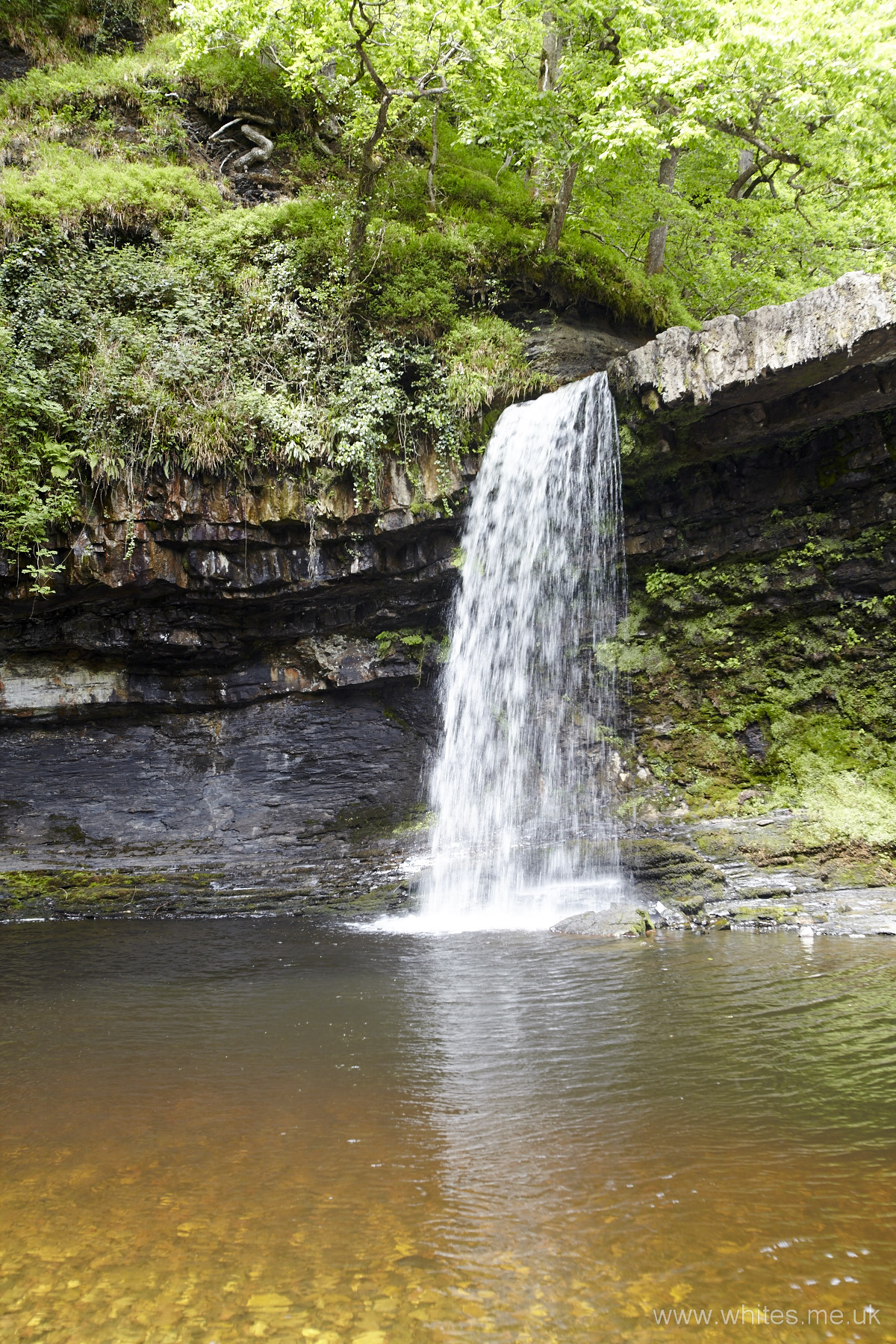
Here is the waterfall as I first saw it
This image is taken on full ‘auto’ in the camera so focus, exposure, sensitivity and aperture were all decided for me.
In this case it decided on
- Sensitivity – ISO 100
- Aperture – f 5.6
- shutter speed – 1/100 sec
- Focus – many different focus points
The result is OK but no better than average. We could get a similar shot on a mobile phone!
Setting up the shot in the camera
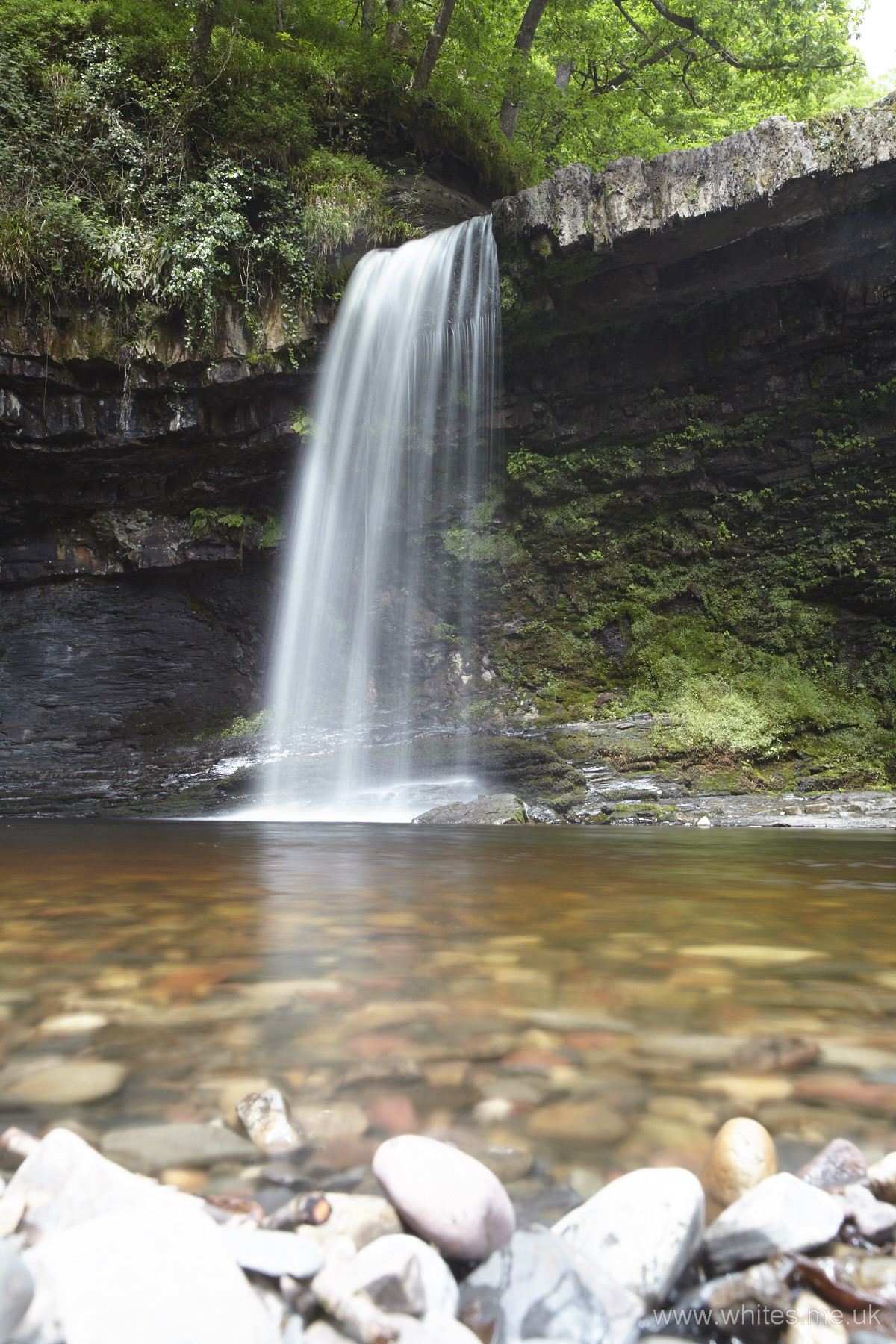
What Was I trying to achieve?
Looking at the shot above and at the scene there were a few things that would improve the impact of the shot. First step is to turn off the automatic settings and, in this case, I chose aperture priority (you’ll see why later on).
Composition
I thought that going down to a low angle and looking up at the waterfall would give a more dramatic composition as it will cause the viewer to think he or she is very small in comparison to this giant waterfall. So I lay on the ground and positioned the camera to give the shot you can see here. Actually I didn’t have my tripod so I ended up piling up a few stones to make a secure mount for the camera. It looked silly, but it worked!
Shimmering water
I needed to slow the shot down so the water will come out with that shimmering, silk-like appearance. This can be achieved by setting the sensitivity of the camera as low as possible, in this case ISO 100. This forces the shutter to be open for longer when taking the shot.
Depth of field
I wanted to get the stones that were very close to the camera in focus along with the falling water it the distance. To do this I stopped the lens down to f22 (as far as my lens will go). This has the added bonus of slowing down the picture more and requiring the shutter to stay open longer.
Falling water on a sunny day
This is notoriously awkward to capture because you have very bright whites in the water and very dark rocks and trees either side. (You might face the same problem when shooting a bride’s white wedding dress on a sunny day). In this case I just told the camera to reduce the amount of light it measures by one stop (technically this is an exposure compensation of -1.0). This has the added bonus of slowing the shot even more and emphasising the colours of the trees in the shot.
Pressing the button
Actually I didn’t. It’s really frustrating to press the button and move the camera ever-so-slightly in the process (this is called ‘snatching’). So to avoid this I put the camera on delayed firing and let it take its own shot.
A final tweak
Having looked at the image in the camera, I felt it needed slowing down some more so I grabbed a neutral density filter from my bag (a small semi-opaque piece of glass). By holding this in front of the lens and re-shooting I could make the water shimmer a bit more – and that’s the shot you see here.
Oh – and finally – an utterly essential ingredient is a very patient wife!
Post processing
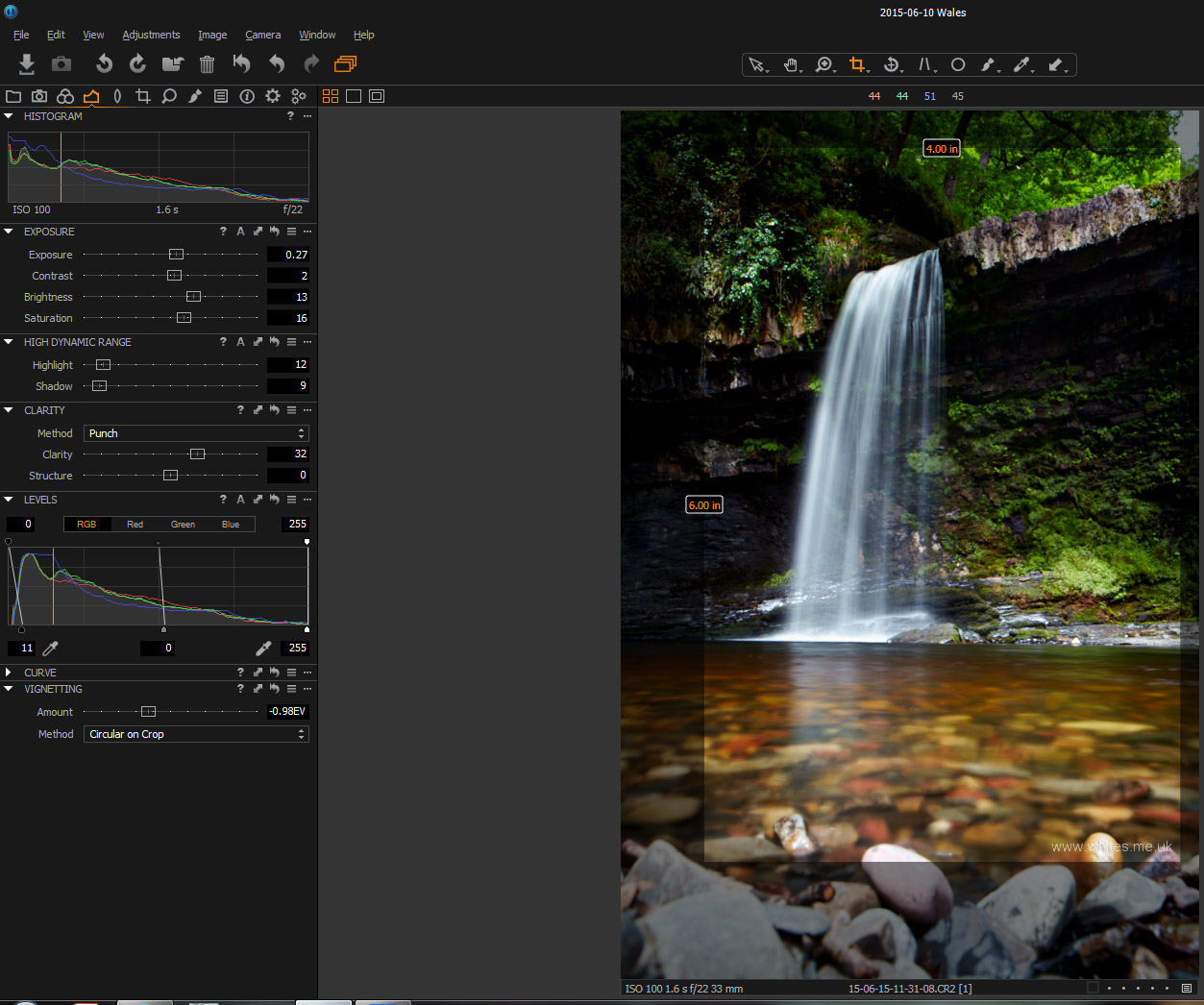
Having got the shot into the PC there is still some more that can be done with it. I shoot in RAW format (not jpeg) and this gives me scope to make changes to colour balance that are more difficult in jpeg. I use a program called ‘Capture One’ (manufactured by Phase One) as my tool of choice. While there are many RAW editing programs out there, this one gives particularly good results and it’s quick. You might e surprised to know it took me no more that two minutes to do all the post processing to create a final image. So what happened to image?
Crop for impact!
No matter how hard I tried, I couldn’t make the stones in the foreground contribute to the image, so we’ll get rid of them. I also got rid of some of the trees and this brings the waterfall centre stage in the image.
Saturate the colours
I increased the saturation over the whole shot which made the greens of the trees sing along with giving the water a more icy blue.
Vignette the corners
By putting on a vignette (darkened corners) the eye is drawn into the shot and sees more water that foliage.
You can see the whole Capture One dashboard with these settings
And that’s it!


